Nov 19, 2026
These 7 Retirement Planning Mistakes Could Leave You Financially Unprepared Later
- Sarah Nelson

How to Choose a Money Management App for Your Everyday Financial Needs
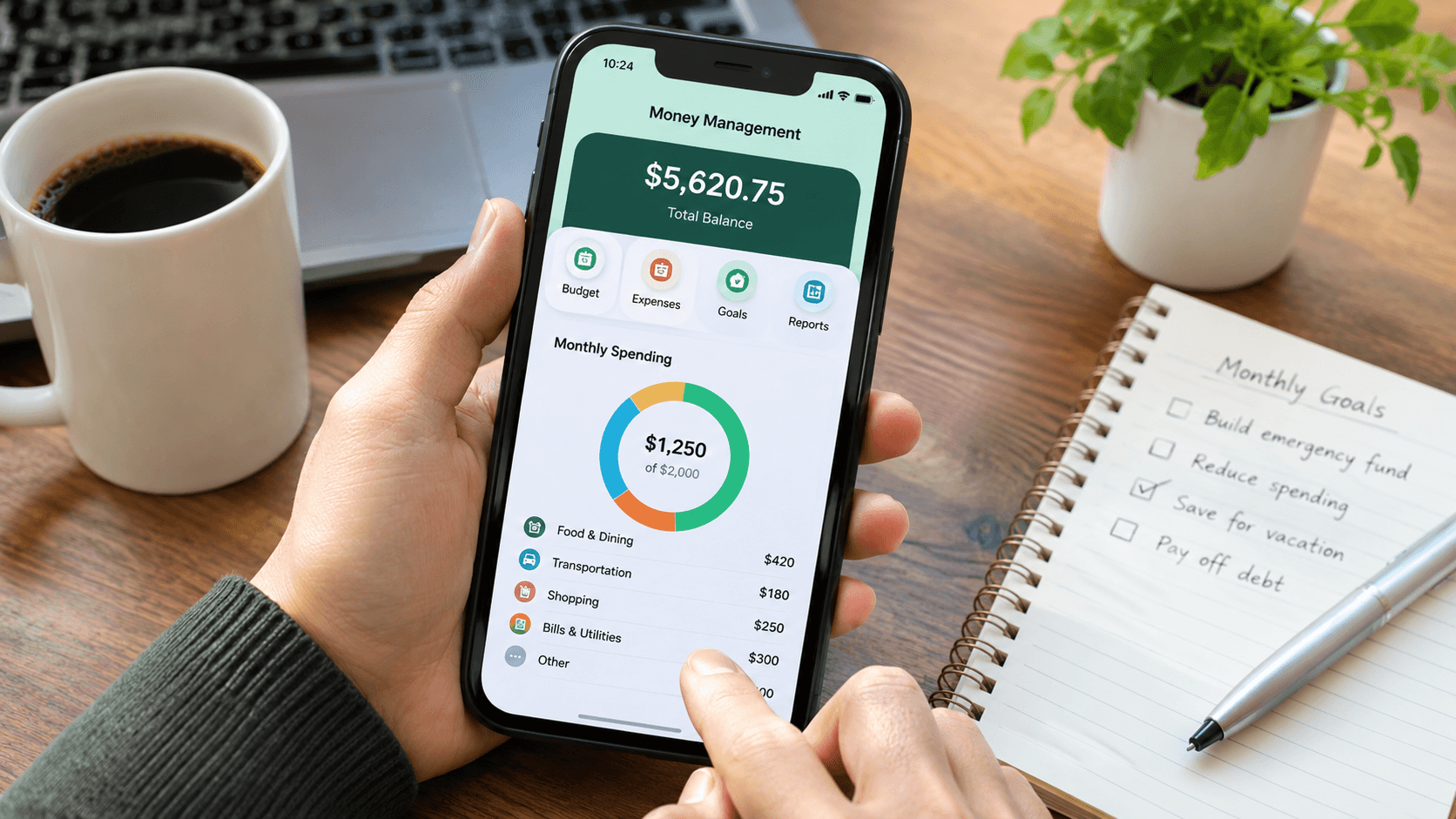
Managing personal finances can become challenging when expenses, bills, savings, and financial goals require regular attention. A Money management app may help individuals organize their financial information, monitor spending habits, and make informed decisions about their money.
Instead of relying entirely on handwritten records or separate spreadsheets, users can explore digital tools that organize financial activities in one place.
Depending on the application, these tools may support expense categorization, budget planning, savings tracking, and financial reporting.
However, choosing a suitable application requires understanding its features, pricing, security measures, and compatibility with personal financial habits.
This guide explains how money management applications work, what features to evaluate, and how to select a practical option for everyday financial planning.
A money management app is a digital application designed to help users organize, monitor, and manage their personal finances.
It may provide tools for recording transactions, setting spending limits, reviewing financial activity, and tracking progress toward savings goals.
Many applications work through manual transaction entry, while others support automatic synchronization with eligible financial accounts. Available features vary depending on the provider, subscription plan, and supported financial institutions.
Common functions include:
For individuals who prefer managing finances digitally, these functions may reduce the effort required to maintain financial records.
Keeping track of financial activities can help individuals understand their spending habits and identify areas that may require adjustments.
A personal finance app may provide a convenient way to review financial information without maintaining several separate records.
Small purchases can accumulate throughout the month. Tracking these transactions may help users recognize spending patterns that are difficult to notice without regular monitoring.
For example, reviewing expenses related to dining, transportation, and subscriptions may reveal opportunities to adjust a monthly budget.
A budget tracking app may allow users to divide their expenses into categories and establish spending limits.
Some applications display how much of each category’s budget has been used, making it easier to review spending before the month ends.
Financial goals often require consistent planning. Certain applications allow users to establish savings targets and monitor their progress.
These goals may include building an emergency fund, preparing for education expenses, or saving for a planned purchase.
Financial dashboards may display spending trends across different periods.
By comparing monthly expenses, users can identify categories where spending has increased or decreased and decide if changes are necessary.
Not every application provides the same financial tools. Before selecting one, users should evaluate which features align with their needs.
| Feature | What it does | Why it may be useful |
|---|---|---|
| Expense tracking | Records and categorizes transactions | Helps users understand spending habits |
| Budget creation | Sets spending limits by category | Supports monthly financial planning |
| Savings goals | Tracks progress toward targets | Helps monitor savings activities |
| Bill reminders | Sends payment notifications | May reduce the chance of missed due dates |
| Financial dashboard | Displays income and expense summaries | Makes financial information easier to review |
| Account synchronization | Imports eligible account transactions | May reduce manual data entry |
| Data export | Downloads transaction records | Supports independent recordkeeping and analysis |
The usefulness of these features depends on individual preferences. Someone managing a simple household budget may prefer manual expense tracking, while another user may benefit from automated transaction imports.
Money management applications can be grouped according to their primary functions.
| App type | Primary purpose | Suitable for |
|---|---|---|
| Budgeting application | Planning income and expenses | Individuals managing monthly spending |
| Expense tracker | Recording and categorizing purchases | Users monitoring daily transactions |
| Savings tracker | Monitoring financial targets | People saving for specific goals |
| Financial planning application | Reviewing financial goals and resources | Individuals planning future expenses |
| Subscription tracker | Identifying recurring payments | Users managing several subscriptions |
| All-in-one finance application | Combining several financial functions | Users seeking a centralized dashboard |
An expense tracking app may be sufficient for individuals who mainly want to understand where their money goes. Meanwhile, users with several financial goals might prefer an application that combines budgeting, savings tracking, and reporting.
Choosing an application requires evaluating practical features rather than relying entirely on promotional descriptions.
Start by determining which financial activities need attention.
For example, someone who frequently exceeds their monthly spending limit may benefit from budgeting tools. A person preparing for a major purchase may prefer an application with savings targets.
Some applications provide free versions with basic functionality, while advanced tools may require a subscription.
Paid features can include expanded reporting, additional account connections, customized categories, or advanced financial planning tools.
Before subscribing, review which functions are included in the free version and determine if the paid features justify the cost.
Financial applications may process sensitive personal information. Therefore, reviewing their security practices is an important part of choosing a provider.
Look for information about:
Security measures may reduce certain risks, although no application can guarantee complete protection against every security threat.
Some applications support mobile devices, desktop browsers, or both.
Users who regularly switch between devices may prefer an application that synchronizes financial records across supported platforms.
An application should make financial information understandable.
Clear navigation, readable reports, and straightforward transaction entry may encourage consistent use.
Testing a free version or trial period can help determine if the interface fits personal preferences.
A monthly budget planner may help users organize income and expenses into categories.
For example, a person with a hypothetical monthly income of $3,000 could create the following budget:
| Budget category | Monthly allocation |
|---|---|
| Housing | $900 |
| Groceries | $400 |
| Transportation | $250 |
| Utilities | $200 |
| Insurance and healthcare | $250 |
| Savings | $500 |
| Entertainment | $200 |
| Miscellaneous expenses | $300 |
| Total | $3,000 |
This example is illustrative. Actual allocations depend on income, location, household responsibilities, debt obligations, and personal priorities.
A budgeting application may help users compare planned expenses against recorded transactions throughout the month.
For instance, if grocery spending reaches $350 against a $400 allocation, the application may show that $50 remains available in that category.
Such information can support spending decisions, although maintaining a budget still requires personal discipline and regular review.
Some applications require users to enter transactions manually, while others can import information from supported accounts.
Both approaches have advantages and limitations.
| Factor | Manual tracking | Automated tracking |
|---|---|---|
| Transaction recording | Entered by the user | Imported from connected accounts |
| Time required | Requires regular input | May reduce routine entry |
| Account connections | Usually unnecessary | Often required |
| Transaction accuracy | Depends on user entries | Depends on synchronization and categorization |
| Privacy preferences | May allow fewer account connections | Requires reviewing data-sharing permissions |
| Best suited for | Users who prefer direct control | Users managing frequent transactions |
Manual tracking may take longer, yet it allows users to decide which information to record.
A savings goal tracker may help users monitor how much they have set aside for a particular financial objective.
For example, someone planning to save $1,200 over 12 months could establish a monthly target of $100.
An application may display progress toward that target and provide reminders to review savings activity.
However, tracking savings does not automatically increase the amount saved. Results depend on available income, spending decisions, unexpected expenses, and consistency.
Users may find these tools helpful for maintaining awareness of their financial priorities.
Although digital finance tools can simplify recordkeeping, they may have limitations worth reviewing before registration.
Subscription costs: Certain advanced functions require recurring payments, which may affect the overall value of an application.
Account compatibility: Automatic synchronization may not support every financial institution, account type, or region.
Transaction categorization errors: Imported purchases may appear under incorrect categories and require manual adjustments.
Privacy concerns: Applications that connect to financial accounts may collect or process sensitive information.
Learning requirements: Some interfaces include features that take time to understand.
Dependence on user activity: Even applications with automation may require regular review to maintain accurate financial records.
Understanding these limitations can help users establish realistic expectations.
Yes. Many applications provide basic budgeting and expense tracking functions that beginners may find accessible. Applications with simple interfaces and clear instructions may be easier to use when starting.
Some applications support manual transaction entry without account synchronization. Users should check the provider’s features and requirements before registering.
Free applications may be sufficient for basic expense tracking and budget planning. However, available features, advertisements, privacy practices, and usage restrictions vary by provider.
Certain applications include a bill payment reminder feature that alerts users about upcoming due dates. These reminders may support payment planning, although users remain responsible for confirming that payments are completed.
Reviewing transactions weekly and assessing the overall budget monthly may be practical for many individuals. People with frequent financial activity may prefer checking their records regularly.
The answer depends on personal preferences. Applications may provide automated tracking, reminders, and dashboards, while spreadsheets allow extensive customization and direct control over financial records.
A money management app may be a practical tool for organizing financial information, monitoring expenses, and tracking savings goals.
When comparing applications, prioritize features that match your financial habits. Pricing, security practices, account compatibility, and ease of use deserve careful attention.
Starting with essential functions and reviewing financial records regularly may help users determine if a particular application supports their budgeting needs.
Ultimately, the right choice depends on how comfortably an application fits into everyday financial routines.